3.5 hours of report writing. Down to 27 minutes.
How a rubric-based AI workflow gave teachers at an international school in Kuala Lumpur 45 hours back — every year.
Report writing was eating teachers alive.
At the end of every reporting cycle, teachers faced the same task: write individual, personalised comments for every student in every class. For a class of 20, that meant 3.5 hours of work — minimum. Multiply across five classes and three reporting periods and you’re looking at over 50 hours a year spent on report writing alone.
The comments had to be specific, rubric-referenced, and differentiated. Copy-paste wasn’t an option. Generic AI output wasn’t good enough. And the clock was always ticking.
Rubric-grounded. Spreadsheet-driven. No technical knowledge needed.
We built a report writing workflow in n8n that runs entirely from a spreadsheet teachers already maintain. No database. No technical setup. No training beyond a 20-minute walkthrough.
Marks in the spreadsheet — Teachers record student marks throughout the term as normal. One tab for marks, one tab for rubrics. Nothing new to learn.
Rubric pulled automatically — The workflow reads the rubric for each mark level directly from the spreadsheet. Update the rubric tab and the workflow updates with it — no one touches the automation.
Strengths summary generated — The AI analyses performance across all marks and rubrics to write a personalised strengths summary grounded in the actual assessment criteria.
Targets from the next level up — The workflow identifies rubric descriptors at the next level above the student’s current performance and turns them into specific, achievable improvement goals.
Full class in 2.5 minutes — Trigger the workflow. All 20 report comments are generated in under three minutes. Teachers then spend 15–20 minutes proofreading and personalising.
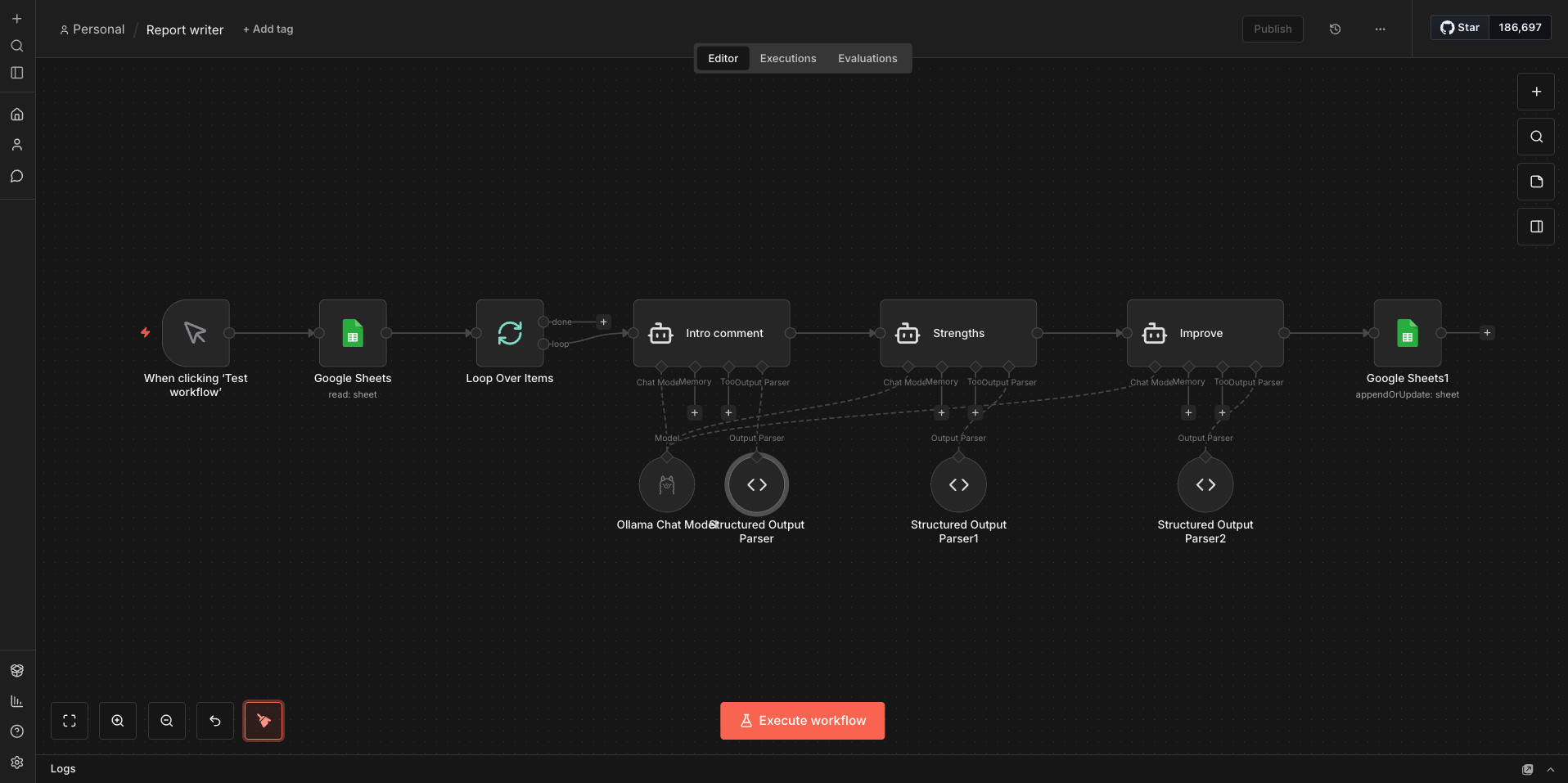
This workflow was built and used in production at Alice Smith School — one of the oldest and largest British international schools in South East Asia. It ran across multiple subjects and year groups during live reporting cycles, not as a pilot.
87% reduction. Per class. Per cycle.
Before the workflow, a set of reports for one class took between three and four hours. After, the same task took roughly 27 minutes from clicking run to completing the proofread.
That’s an 87% reduction in time per reporting cycle. Across five classes and three reporting periods a year, that returns 45 hours to every teacher who uses it.
“The comments were specific, they referenced the rubric, and they actually sounded like something I would have written. I proofread them, I didn’t rewrite them.”
Teacher — Alice Smith School, Kuala Lumpur
Because every comment is grounded in the actual rubric descriptors for that student’s mark, it reads as specific and considered — not AI-generated boilerplate.
Student data stays in the school.
Student marks and names are handled with the same care you’d expect from any school system.
The workflow runs locally via Ollama. Student data — marks, names, rubric performance — is processed on the school’s own hardware and never sent to an external API. No OpenAI, no cloud processing of student information.
- Local AI — The language model runs on school hardware via Ollama. No student data leaves the building.
- Spreadsheet-based — Data stays in the same Google Sheet or Excel file teachers already use. No new systems, no new data stores.
- No third-party processing — Unlike ChatGPT or Gemini, student performance data is never submitted to an external service.
- GDPR and PDPA compliant by design — Local processing removes the compliance risk entirely rather than managing it through policy.
If your teachers use spreadsheets, they can use this.
There is no database to configure, no IT project to scope, and no technical knowledge required from teachers.
A spreadsheet with student marks and a rubric tab. A laptop on the school network. Half a day to set up. Teachers need nothing beyond what they already do — the workflow meets them where they are.
Rubrics are updated directly in the spreadsheet by the teacher. Change the rubric, and the workflow automatically uses the updated version on the next run. No one needs to touch the automation.
See it running live.
Join our free webinar — Is Your School Using AI Safely? — for a live demonstration of this workflow and the leadership communications system.