Your team didn’t sign up to spend their day copying and pasting.
The four-day working week has been proven to work. The barrier isn’t culture — it’s process. Technology has already earned your team more time. We find where those hours are being lost, and we give them back.
We’re not here to replace people. We’re here to replace the parts of their job that make them dread Monday morning.

Where your team’s time is going
After three years across education, logistics, and media — the same patterns show up everywhere. These are the tasks quietly stealing your team’s time, energy, and headspace.
The Scattered Source of Truth
Pricing, requirements, or client data in multiple places — always slightly wrong somewhere. Someone spends part of every day just trying to find the right version. That’s not a job. That’s friction. It can be removed.
The Manual Bridge
Two systems that don’t talk, with a person in the middle doing copy-paste. That person’s time is being spent on something a workflow could do in 400 milliseconds. If you’re moving data between two screens, it can be automated.
The Invisible Queue
Enquiries, requests, or jobs that arrive and sit somewhere until someone notices them. Nobody’s dropping the ball deliberately — the system just has no urgency built in. Automation fixes the system, not the person.
The Reconciliation Black Hole
Payments, invoices, and costs tracked at the wrong level of detail. You can’t tell what’s been paid, by whom, or whether you’ve charged the right person. Usually discovered six months too late.
The Spreadsheet That Owns the Business
One sheet everyone’s scared to touch, that breaks if someone sorts wrong, that is in practice a database being operated with the wrong tool. It’s not the spreadsheet’s fault. It’s just the wrong tool for the job.
The Report Nobody Wants to Write
Any regular output — reports, summaries, client updates — where someone sits down, pulls data from multiple places, and formats it by hand. If the data exists, the report can write itself. We built this for a school. It works for any business.
Three real builds. In every case, the goal wasn’t to make the business more efficient in the abstract — it was to give specific people specific hours back.
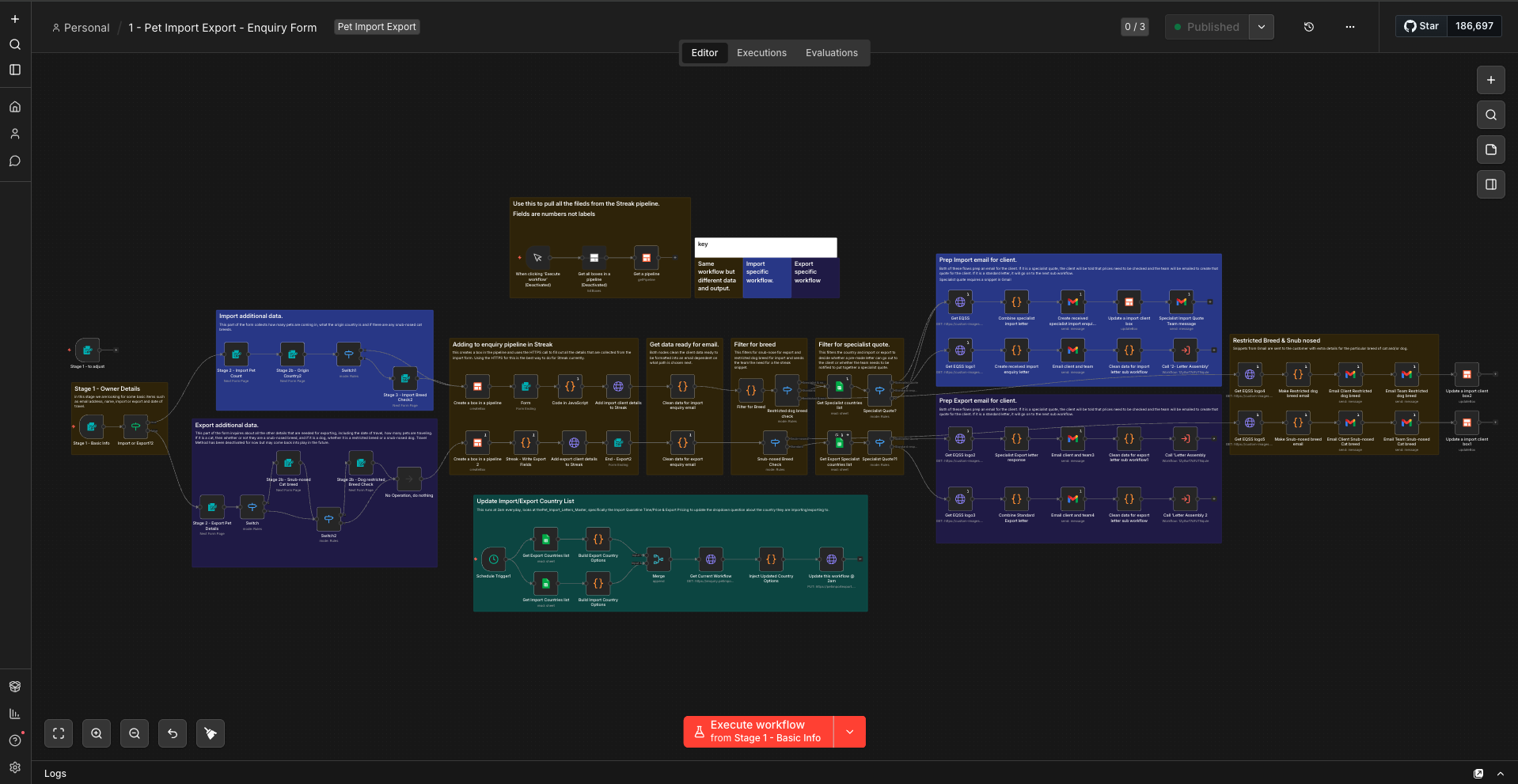
Pet Relocation Company, Kuala Lumpur
Every enquiry required manual handling — checking breed restrictions, looking up country requirements across scattered documents, calculating pricing, drafting emails. One person was essentially a human router.
Four interconnected workflows handling intake, letter assembly, job confirmation, and pet detail collection. The team member who was acting as a human router — checking breeds, looking up country rules, drafting emails — now uses that time for the work that actually requires a human. One button click remaining in the entire process.
Alice Smith School, Kuala Lumpur
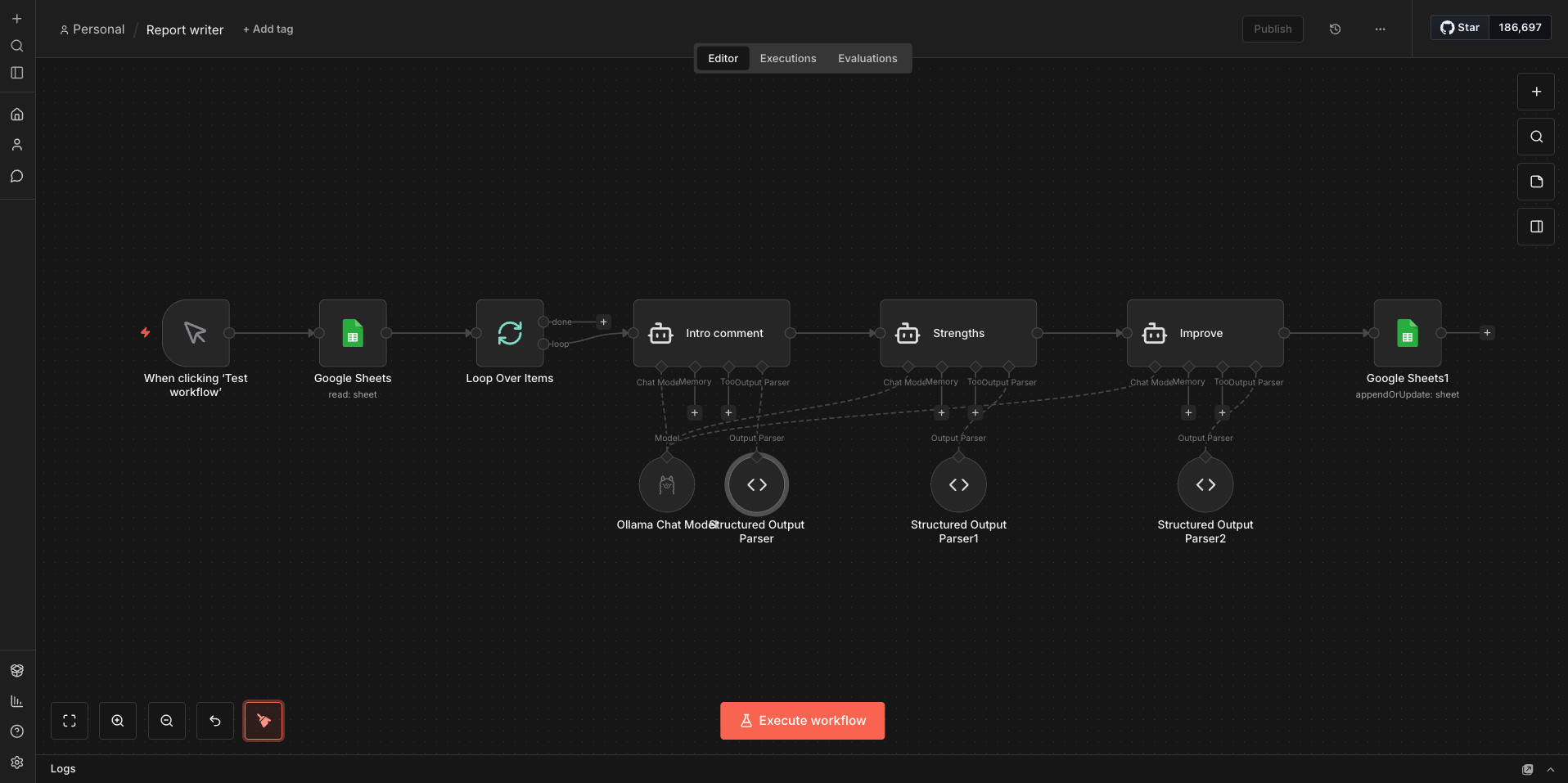
Teachers were already marking against a rubric in a spreadsheet. Then they spent four hours per class writing individual student reports — taking the same marks they’d just recorded and translating them into prose. Twice the work. Half the weekend.
A local AI workflow (Ollama — runs entirely on-site, student data never touches a cloud server) that reads the marks, matches them to the rubric, writes personalised strength comments and targets. Teachers still mark. They still proofread. What they don’t do anymore is spend their Sunday writing the same sentence forty different ways.
What’s On KL
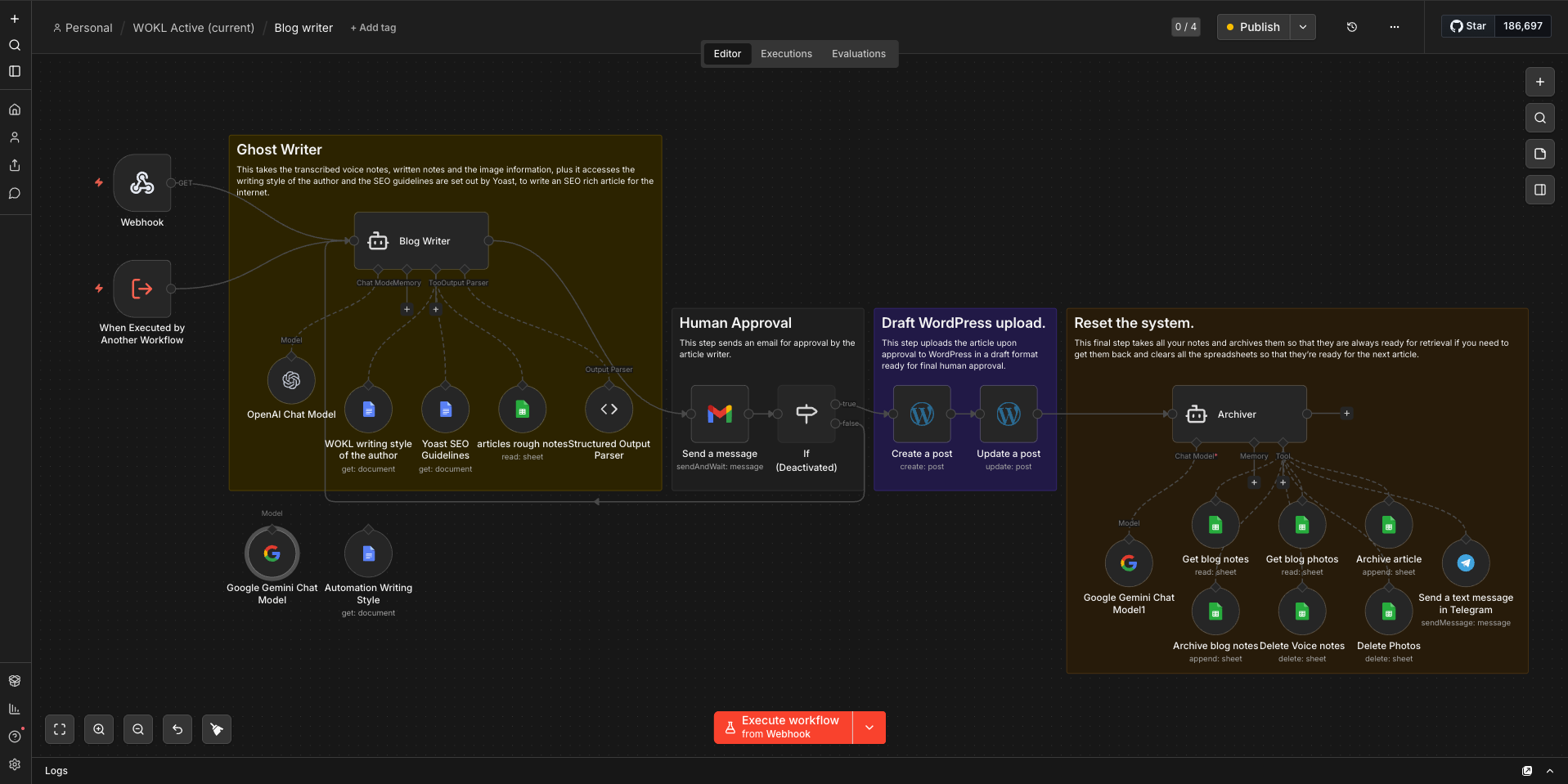
Event coverage meant attending, taking notes, then writing an article afterwards — a two-hour process per event, plus social media posting across six platforms. Content production was eating the business.
At an event, we send voice notes via Telegram instead of writing anything down. The workflow transcribes them, stores them, and when we’re ready, a Ghost Writer agent — trained on our writing style and Yoast SEO guidelines — produces a ready-to-approve article in under two minutes. Event posters uploaded to Drive are automatically processed: AI extracts the details, writes descriptions, and publishes to the website, TikTok, Threads, Facebook, Instagram, and LinkedIn simultaneously.
Three steps. Plain language. No 50-page methodology documents.
We Watch How You Work
A structured conversation — usually two to three hours across your team — where we map what actually happens, not what the procedure document says happens. We’re looking for where time disappears, not where the org chart says it should go.
Week 1We Find Where the Time Goes
We quantify the friction. How many touches does this process take? Where does work sit waiting? What breaks when one person is on leave? We translate manual processes into numbers — hours per week, cost per month — so the ROI case is visible before we build anything.
Weeks 1–2You Get a Ranked Roadmap
Every opportunity ranked by impact vs effort. Quick wins you can action this month. Strategic bets worth planning for next quarter. Build estimates for each. A clear recommendation on where to start and why. You leave with a document, not a feeling.
Week 2–3The Automation Opportunity Map
Your DeliverableA written document — not a slide deck, not a verbal debrief — that captures every identified inefficiency, quantified where possible, and ranked by what to tackle first.
- Every identified process inefficiency, with estimated time cost
- Each opportunity ranked: Quick Win / Strategic Bet / Not Worth It
- Build estimates in time and cost for every Quick Win
- Tool recommendations — what to use and why
- A recommended starting point with rationale
- 30-day and 90-day action plan
Two options. Start free, or go straight to the full audit.
A focused call where we identify the three biggest time thieves in your business. No deck, no proposal, no obligation. You’ll leave with something actionable even if you don’t go further.
Book NowComplete process audit, waste quantification, and your Automation Opportunity Map. Everything ranked, estimated, and ready to act on. Fee credited against any build work within 90 days.
Start the Audit
What would your team do
with an extra day?
You don’t need to know what to automate before booking a call. That’s our job. Thirty minutes and we’ll show you where your team’s time is going — and what it would take to give it back.
Book Your Free Frog-Check