StudyMap — Day 3: Building the MCP Bridge
Building a personalised resource engine for GCSE Design Technology — powered by Gemini, Elasticsearch, and 18 years of classroom materials.
The MCP Server. The Hardest Part of the Whole Build.
Going into Day 3, the Elasticsearch index was built and the data was in. The next job was connecting it to Gemini. That means building the Model Context Protocol (MCP) server — the bridge that lets the AI actually query the vault rather than just hallucinating an answer.
The hackathon requires using Elastic’s partner MCP. I’d assumed that meant using their pre-built Docker image and pointing it at my index. That assumption cost me most of the morning.
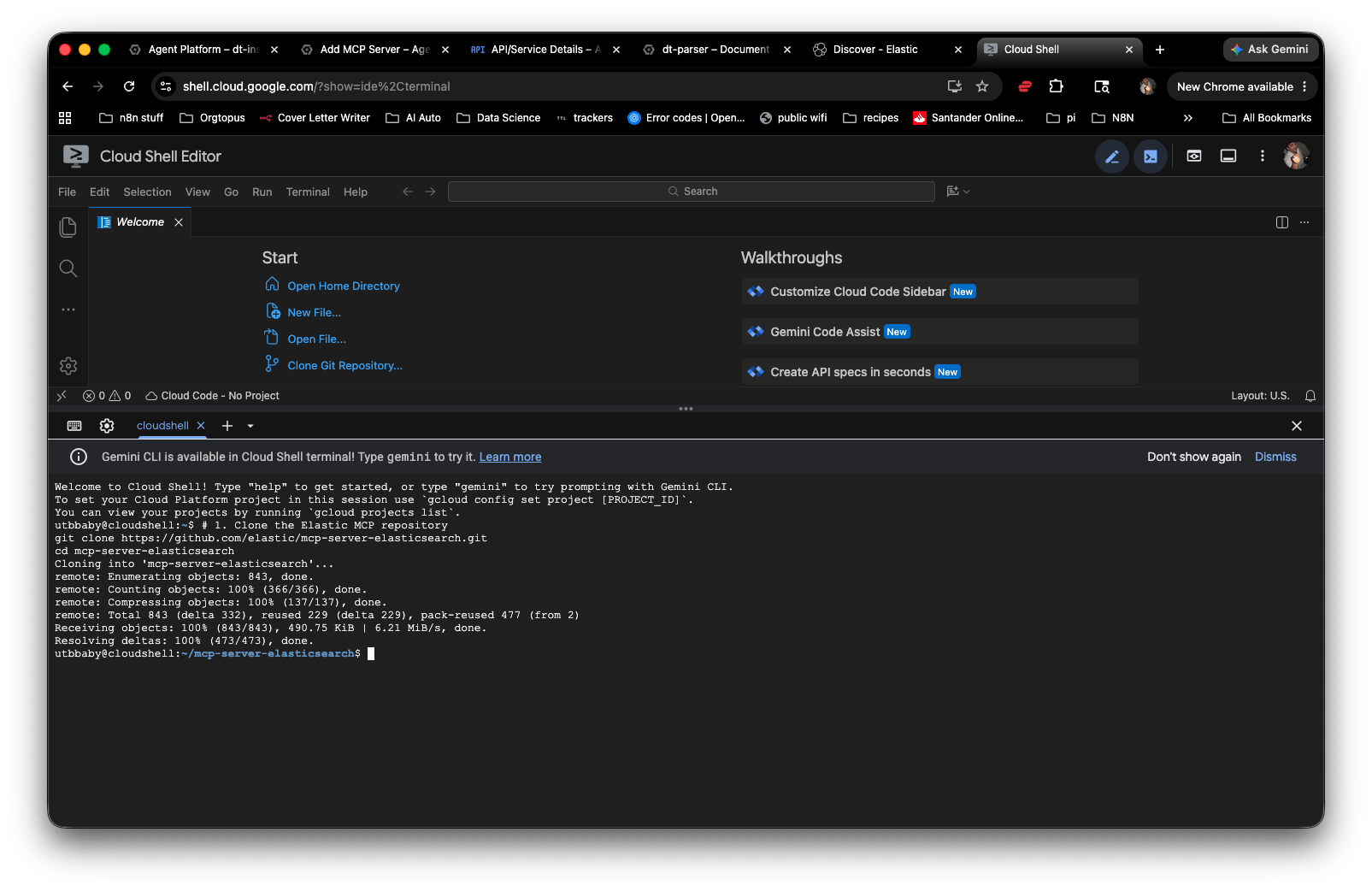
Model Context Protocol is an open standard that lets AI agents call external tools in a structured way. Instead of embedding data directly into a prompt, the agent sends a query to a tool (in this case, Elasticsearch), gets structured results back, and uses those to form its answer. It’s the difference between a student who memorised a textbook and one who knows how to use a library.
Cloud Run Said No. Repeatedly.
The approach: build a custom Python MCP server using FastMCP, containerise it with Docker, and deploy to Cloud Run. The code itself was straightforward — about 30 lines that initialise the server, connect to Elasticsearch, and expose a search_resources tool for Gemini to call.
The deployment was not straightforward.
“The user-provided container failed to start and listen on the port defined by the PORT=8080 environment variable.”
This error means the container launched but never opened the door. Cloud Run sends health checks to port 8080. If nothing answers, it kills the revision. First instinct: the mcp.run() call wasn’t accepting host and port as arguments. The fix was switching from FastMCP’s internal runner to Uvicorn serving the app directly.
if __name__ == "__main__":
    import uvicorn
    port = int(os.environ.get("PORT", 8080))
    uvicorn.run(mcp.sse_app(), host="0.0.0.0", port=port)
That got the container running. Then the next problem showed up.
DNS Rebinding Protection. A Security Feature Blocking My Own Server.
Every curl request to the deployed endpoint came back with the same response: Invalid Host header. The server was running. The port was open. But every incoming request was being rejected before it reached the MCP logic.
The fix wasn’t obvious. The clue came from reading the Cloud Run logs directly and then tracing back to the MCP SDK source code.
WARNING  Invalid Host header: localhost    transport_security.py:64
INFO:     136.110.41.56:0 - "GET /mcp HTTP/1.1" 421 Misdirected Request
The MCP Python SDK ships with a TransportSecurityMiddleware — a DNS rebinding protection layer that validates the Host header on every incoming request. By default it’s enabled, with an empty allowed-hosts list, which means it blocks everything that isn’t explicitly whitelisted.
When I added middleware to rewrite the host header to localhost, it got further — but FastMCP’s own transport security then rejected localhost because the server wasn’t configured to expect it. It was rejecting its own workaround.
FastMCP accepts a transport_security parameter at initialisation. Passing TransportSecuritySettings(enable_dns_rebinding_protection=False) disables the middleware entirely. For a production deployment you’d whitelist specific hosts. For a hackathon running on Cloud Run with no sensitive auth, disabling it is fine.
from mcp.server.transport_security import TransportSecuritySettings

mcp = FastMCP(
    "GCSE-DT-Expert-Vault",
    host="0.0.0.0",
    transport_security=TransportSecuritySettings(
        enable_dns_rebinding_protection=False
    )
)

if __name__ == "__main__":
    import uvicorn
    port = int(os.environ.get("PORT", 8080))
    uvicorn.run(mcp.streamable_http_app(), host="0.0.0.0", port=port)
MCP Server Confirmed Working. Tools Visible. Elasticsearch Responding.
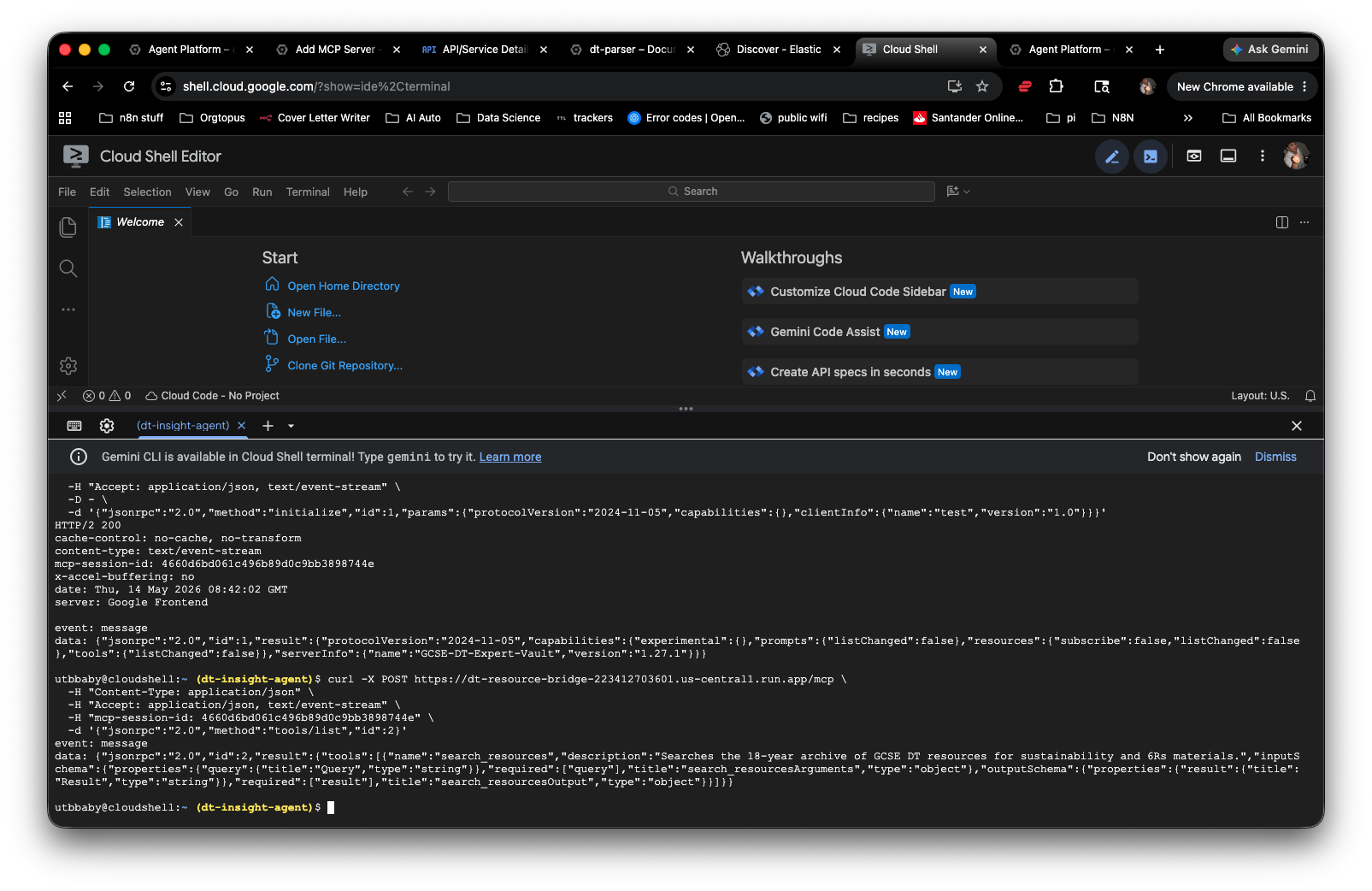
After redeployment, the server responded properly. The MCP protocol requires a session initialisation handshake before tool calls — once that was understood, testing was straightforward.
Initialise session — POST to /mcp with the initialize method. Returns a session ID and server capabilities.
List tools — POST with the session ID. Returns the search_resources tool with its full input schema.
Call the tool — Send a query. The server hits Elasticsearch and returns extracted text from the indexed PDFs and PowerPoints.
“event: message — data: GCSE-DT-Expert-Vault — tools: search_resources confirmed.”
The MCP server is live at its Cloud Run endpoint. The Elasticsearch index is connected. The tool is registered and callable. That’s the hard infrastructure done.
The MCP standard is what separates an agent from a chatbot. A chatbot generates text. An agent calls tools, retrieves real data, and grounds its answer in something external. Having a working MCP server that talks to a private knowledge base is the technical requirement this partner track is built around.
The Agent Layer. Work in Progress.
With the MCP server running, the next job was wiring it to Gemini via Google’s Agent Platform. This is where the day ended without a clean finish.
Tried three routes:
MCP Server Registry UI — The Agent Platform has a registry where you can register MCP servers with a JSON tool spec. Hit a persistent “Request contains an invalid argument” error on save. The JSON format, region settings, and URL were all correct — the cause is still unclear.
Agent Development Kit (ADK) — Google’s Python framework for building agents. The code connected to the MCP server correctly but failed on the Gemini model — the specific model IDs for Vertex AI differ from the API and the available models in the project weren’t immediately clear.
Agent Garden / Agent Registry — Explored both. Agent Garden is a samples library, not a builder. Agent Registry requires an existing deployed agent endpoint to register against — which brings it back to needing the ADK route working first.
The MCP server side is solved. The agent-to-MCP connection is the remaining gap. The fastest path forward is getting the correct Vertex AI model ID confirmed and running the ADK agent locally first before deploying. That’s Day 4’s first task.
- Elasticsearch index built with 18 years of GCSE DT resources
- Custom MCP server built with FastMCP
- MCP server deployed and running on Google Cloud Run
- DNS rebinding protection issue identified and resolved
- MCP tool confirmed visible and callable via the protocol
- Gemini agent connected to MCP server via ADK
- Agent registered in Google Agent Platform
- End-to-end test: student grade → agent → Elasticsearch → personalised resource
Building something similar?
Talk to us about agentic systems for education, operations, or anything in between.